




Spinmaya Casino Login & Registration
Every visit to our platform goes through the Spinmaya login gate, which takes seconds once you register. Behind that single step are the balance, promotions and personal settings of a profile. This page walks through access from both directions — signing in for existing members and registration for new ones.



Spinmaya Login and Manage Your Account
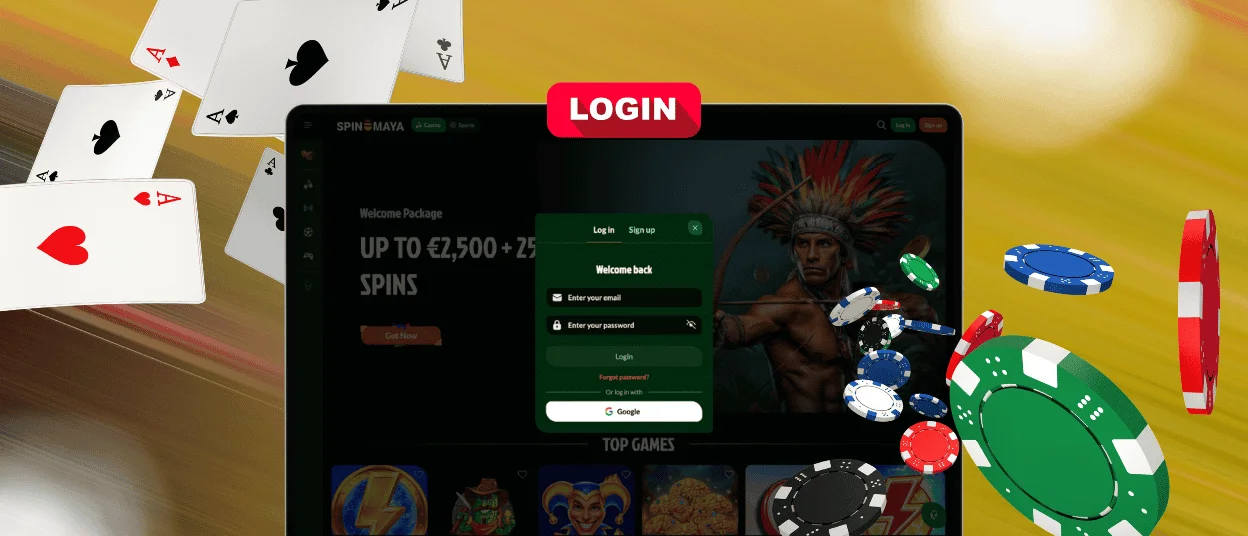
The “Log In” button sits in the top corner of every page. Tap it, then enter the registered email and password, or use the Google button below to sign in with an existing Google account instead. Either way leads straight to the lobby, already signed in.
After you sign in, you unlock the practical side of Spin Maya Casino.
- A deposit button in the top corner of the dashboard opens funding options directly, with a switch inside it to move straight to a withdrawal request instead.
- The bonus tab shows each active offer with its wagering progress.
- The history section keeps a dated record of every transaction.
- Personal details and the password itself change from the profile settings, without a message to support.
Spinmaya Account Verification and Security
The verification process protects all the parties: it confirms that a payout goes to the account owner and nobody else. Our team requests documents once, ahead of the first withdrawal, and a completed check covers every payout after it.
| Document | What It Confirms |
| Passport or national ID card | Identity and legal age |
| Utility bill or bank statement | Current residential address |
| Payment method photo | Ownership of the selected payment route |
Uploads are submitted through the profile area, and the review normally finishes within one business day. If a specific document raises a question during that time, live chat provides a direct answer.
Forgot Your Password?
A password recovery takes three short steps. You get a reset link to a page where you can create a new password. The new password combination works immediately, and the previous one cannot be used for the Spinmaya login any longer.
Registration at Spinmaya Casino
An account is what separates browsing from playing.After registration, real-money play becomes available right away. The welcome package can be claimed after the first qualifying deposit. Tournaments and missions start counting from that point, and both deposits and withdrawals become possible through the cashier. Loyalty points also begin counting from the first session.
Create Your Account
Sign up with an email and a password. Two checkboxes follow: one confirms legal age and acceptance of the Terms and Conditions, the other is optional and covers promotional messages. A promo code can be added at this stage if one is available. Confirming these details creates the account.
A second short step collects two more details:
- First and last name
- Date of birth
Signing up through Google skips most of these steps.
Account Safety and Password Protection
A strong password is the first line a member controls directly. Length matters more than complexity tricks — a longer combination of unrelated words outperforms a short one with symbols. Reusing a password from another site weakens the account, so a unique combination for Spinmaya Casino is the safer habit.
The protection on our end runs constantly in the background. Connections are encrypted through every session. Automatic screening monitors sign-in attempts for suspicious patterns and pauses access after repeated failures. Sessions expire on their own after long inactivity, which protects an account left open on a shared screen.
Spinmaya Login Problems & Fixes
Most Spinmaya Casino login problems have a simple cause. If the password is rejected, check the keyboard language and Caps Lock before trying again. When the password is no longer remembered, use the reset link and enter the registered email address. Spinmaya sends the recovery message to that inbox. Check the spam folder if it does not appear, then request a new message if needed.
Several failed attempts can pause access for a short period. Wait before entering the details again. If the login page does not display correctly, update the browser or clear its cache. For any issue that remains unresolved, contact the Support Team. Multilingual support is available at any time.
FAQ
How long does a Spinmaya login session stay active?
A session on a personal device continues between visits until a member signs out or a long period of inactivity ends it automatically. Shared devices are the exception where manual sign-out is the safer habit.
Can the email address linked to the account be changed later?
You can manage contact details through the profile settings after signing in. For a change as sensitive as the registered email, the support team confirms account ownership first before applying it.
Does a password reset sign the account out on other devices?
Yes. The moment you create a new password, the old one stops working everywhere. Every device will now have the updated combination at the next Spin Maya sign-in, which cuts off access for anyone holding the old credentials.


